

You Have a Mac With Apple Silicon — the Most Powerful Chip Ever Put in a Laptop. Yet There's Windows Software You Need and Can't Use. The Problem Isn't Your Mac. It's That You Haven't Installed Parallels Desktop Yet.
The Apple Silicon Mac is the most impressive hardware of the decade. Speed, battery life, silence, display, build quality — it wins on everything...
7/14/20267 min read
Introduction: The Mac Is Perfect — Except When It Isn't
The Apple Silicon Mac is the most impressive hardware of the decade. Speed, battery life, silence, display, build quality — it wins on everything. But there's a structural problem that anyone switching from Windows to Mac — or working in mixed environments — knows well: there are software tools, enterprise applications, vertical platforms, development environments, and games that only run on Windows. They have no Mac version. They never will. And with the end of Boot Camp on Apple Silicon machines, the only serious solution is virtualization. Parallels Desktop is the de facto standard for doing it — named "top choice" for macOS by Expert Consumers in December 2025, with over 200,000 Windows applications supported on Apple Silicon and millions of users worldwide.
With the release of Parallels Desktop 26 in August 2025 — the most advanced version ever released, featuring the first integrated AI toolkit for developers — the distance between Parallels and any free alternative has grown even wider. This is the review that will help you decide if it's right for you.
The Problem: Why Apple Silicon Made Virtualization Essential
Until 2020, Macs used Intel processors — the same chips as Windows machines. This meant Boot Camp, Apple's official solution, could run native Windows without any architecture translation. It was simple, direct, and free.
With the transition to M-series chips — M1, M2, M3, M4 — everything changed. Apple Silicon uses ARM architecture, not x86. Boot Camp no longer exists on these Macs. Standard x86 Windows cannot be installed directly. The only version of Windows that runs on Apple Silicon is Windows on ARM — and not all ARM Windows applications are optimized or available.
The Practical Result: Millions of Users Blocked
Engineers using AutoCAD, ETAP, or vendor-specific configuration software. Accountants with Windows-only management platforms. Developers who need to test on Windows environments. Gamers who want titles not available on Mac. Business managers with ERP or CRM systems that only run on Windows. For all these categories, having an Apple Silicon Mac without Parallels Desktop means giving up part of their workflow or carrying a second Windows PC. Parallels Desktop eliminates this necessity elegantly, quickly, and with surprising stability.
"With Parallels Desktop, your Mac stops being 'almost perfect.' It simply becomes perfect — because it can do everything a Mac does and everything a Windows PC does, simultaneously."
Analysis: How Parallels Desktop Works and What Makes It Unbeatable
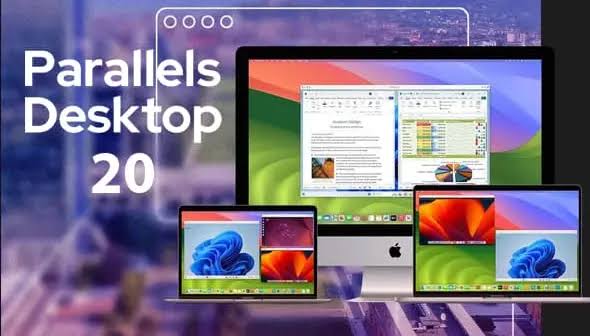
Parallels Desktop creates a virtual machine (VM) inside your macOS: an isolated space where Windows — or Linux, or another macOS version — runs as if it were the primary operating system, with access to Mac hardware (CPU, RAM, GPU, peripherals) through a highly optimized virtualization layer. The magic is that this VM doesn't feel like a slow, clunky emulator: on Apple Silicon M-series, Parallels Desktop delivers performance so close to native that many users forget they're running a virtual machine.
The Technology: Native Optimization for Apple Silicon
Parallels Desktop was completely rewritten for Apple Silicon chips — not a port from the Intel architecture, but a native ARM implementation that maximizes unified memory and M-series chip architecture. The result: Windows boots in under 30 seconds, instant switching between macOS and Windows, efficient shared RAM management. In Macworld benchmarks, Parallels Desktop on M-series surpasses UTM (the free alternative) in every measurable performance parameter — boot speed, application response time, graphics fluidity.
Core Features
1. Coherence Mode — Windows Invisible, Apps Everywhere
This is the feature that distinguishes Parallels Desktop from any alternative. Parallels Desktop's Coherence Mode makes the Windows desktop disappear — only the individual Windows application windows remain, appearing on your macOS desktop exactly like native apps. Microsoft Word for Windows, AutoCAD, or any other Windows software floats in your Mac workspace without the visual frame of a separate operating system. It's virtualization that disappears into the user experience.
2. Deep Bidirectional Integration
Parallels Desktop creates an ecosystem where Mac and Windows share everything needed without friction:
• Parallels Desktop — Unified clipboard: copy text or images on Mac, paste on Windows and vice versa, instantly
• Parallels Desktop — Shared folders: files accessible from both operating systems in real time
• Parallels Desktop — Cross-OS drag & drop: drag files from Mac Finder directly into Windows applications
• Parallels Desktop — Spotlight search: search Windows files directly from macOS Spotlight
• Parallels Desktop — Apple Writing Tools in Windows apps: use macOS Sequoia's AI writing features inside Word, PowerPoint, and Outlook on Windows
3. Support for 200,000+ Windows Apps on Apple Silicon
Parallels Desktop supports over 200,000 Windows applications on Apple Silicon chips — including enterprise software like SAP, Oracle, accounting platforms, AutoCAD, SolidWorks, vendor-specific configuration tools, trading platforms, and thousands of vertical applications that will never have a Mac version. For engineers, accountants, managers, and technical professionals, Parallels Desktop is the difference between being able to use a Mac and having to buy a PC.
4. Parallels Desktop 26 — The AI Toolkit for Developers
Version 26 of Parallels Desktop, released in August 2025, introduces the first integrated AI toolkit for developers in the product's history: a pre-configured VM with 14 different AI frameworks — including environments for local LLMs, ML inference, and AI development — with sample code and step-by-step guides. The most relevant part: everything runs offline, locally, with full privacy. For developers who want to experiment with AI without depending on cloud APIs or worrying about data confidentiality, Parallels Desktop 26 provides a private, powerful AI playground on their own Mac.
5. Rollback Mode — The Sandbox for Developers and Demos
Parallels Desktop's Rollback Mode transforms the VM into a kiosk environment: every time it restarts, the virtual machine returns to its original state — everything done during the session is erased. Ideal for client demos, repeatable test environments, training labs, and any scenario where a guaranteed clean slate is needed after each use.
6. Support for Linux, Legacy macOS, and Windows Server
Parallels Desktop isn't limited to Windows. You can create Linux VMs (Ubuntu, Debian, Kali, Fedora, and many others with automatic installer), VMs with previous macOS versions for compatibility testing (from macOS Monterey on Apple Silicon), and VMs with Windows Server 2025 for enterprise environments. With Parallels Desktop, a single Mac can be a complete multi-OS development workstation.
7. Gaming on Mac With Parallels Desktop
Parallels Desktop supports DirectX 11 and OpenGL 4.1, enabling access to a wide library of Windows games — including titles with no native Mac version. Controller support is included. For heavy gaming with DirectX 12 and recent AAA titles, Parallels Desktop is not yet the ideal solution — but for compatible game catalogs it delivers a surprisingly smooth experience on Apple Silicon.
The Editions: Standard, Pro, and Business
Parallels Desktop Standard — for Everyday Use
Parallels Desktop Standard is the edition designed for home users, students, and professionals who need Windows for specific applications. Available as an annual subscription at $99.99 or as a perpetual (one-time) license at $219.99 — the Parallels Desktop Standard perpetual license lets you use the purchased version forever, without mandatory renewals, with the option to pay for future upgrades separately.
Parallels Desktop Pro — for Developers and Power Users
Parallels Desktop Pro, at $119.99/year, adds everything a developer needs: expanded CPU and RAM allocation (up to 32 vCPUs and 128 GB RAM for the VM), advanced snapshot management, command-line tools, CI/CD pipeline integration, Xcode side-by-side support, and access to the Parallels Desktop 26 AI toolkit. For development teams who need to test across Windows, Linux, and macOS simultaneously, Parallels Desktop Pro is the most complete tool on the market.
Parallels Desktop Business — for Enterprises
Parallels Desktop Business, at $149.99/year per user, adds everything enterprise IT requires: centralized deployment management, Single Sign-On, SOC 2 Type II compliance, centralized security policies, and Windows Server support. For companies migrating their device fleet to Apple Silicon Macs but needing to maintain compatibility with Windows-only software, Parallels Desktop Business is the most complete and secure solution available.
→ Try Parallels Desktop free for 14 days — no credit card required
Key Numbers
200,000+ Windows apps supported on Apple Silicon
14 AI frameworks included in the Parallels Desktop 26 toolkit
#1 Mac virtualization choice — Expert Consumers, Dec. 2025
3 editions: Standard, Pro, Business
30 sec average Windows boot time on M-series
26 years of continuous development since 1999
The Honest Comparison: Parallels Desktop vs Alternatives
Where does Parallels Desktop win and where does it fall short compared to alternatives?
• Parallels Desktop vs UTM (free): UTM is open source and free, but significantly slower with virtually no macOS integration. No Coherence Mode, no native shared clipboard, no drag & drop. Fine for occasional use. For daily professional use, the productivity difference justifies the cost of Parallels Desktop.
• Parallels Desktop vs VMware Fusion (now free for personal use): VMware Fusion is a serious alternative — free for personal use after Broadcom's acquisition. It has less macOS integration than Parallels Desktop, but is a valid choice for those who don't need Coherence Mode or the more advanced features.
• Parallels Desktop vs CrossOver: CrossOver is not a true VM — it's a compatibility layer based on Wine. It supports fewer apps, has limitations with enterprise software, and doesn't allow running Windows as a full operating system. Parallels Desktop is more versatile and reliable for professional use.
"Parallels Desktop isn't a luxury for Apple Silicon Mac users. It's the infrastructure that transforms your Mac from an extraordinary creative machine into a universal workstation — without compromise."
The Solution: Who Should Use Parallels Desktop
Parallels Desktop is the right choice for:
• Parallels Desktop — Professionals using Windows-only software (AutoCAD, SAP, management platforms, vertical tools) on Apple Silicon Macs.
• Parallels Desktop — Developers who need to test applications on Windows, Linux, and multiple macOS versions on the same hardware.
• Parallels Desktop — Companies migrating their fleet to Mac but needing to maintain compatibility with existing Windows software.
• Parallels Desktop — Students and researchers who need academic software only available on Windows.
• Parallels Desktop — Anyone switching from Windows to Mac who wants to bring their entire Windows environment — files, settings, and programs — without starting over from scratch.
→ Download Parallels Desktop and start your free 14-day trial
Conclusion
Apple Silicon redefined what a laptop can do. But it also created a fracture with the Windows ecosystem that millions of professionals cannot ignore. Parallels Desktop bridges that fracture in the most elegant way possible — not with a workaround, but with an integration so deep that the boundary between Mac and Windows becomes imperceptible.
With 26 years of development, 200,000+ supported apps, the AI toolkit of Parallels Desktop 26, and recognition as the industry standard for Mac virtualization, Parallels Desktop isn't simply the best in its segment — it's in a category of its own. If you use an Apple Silicon Mac and need Windows, there's no debate: Parallels Desktop is the answer.
Contacts
We are here to help you grow online
HELP
Newsletter
E-mail: info@simplysinth.com
Tel. +39 345 6159899
SimplySynth is a project by Pisano Agostino and Cilento Innovazione Digitale © 2025. All rights reserved.